Visual Context > Text Queries
Operators identify suspects by visual markers ("man in red jacket") rather than camera IDs or exact timestamps.
 RITIKA SHARMA
View Resume ↗
RITIKA SHARMA
View Resume ↗
CamPulse is an enterprise Video Management Software (VMS) built to manage thousands of cameras across massive facilities like airport terminals, corporate campuses, and transit hubs.
Instead of traditional security systems that passively record video, CamPulse uses an automation-first, operator-centric approach where we aim to reduce operator eye strain, eliminate complex menus, and turn raw video feeds into actionable security alerts.
The Goal: Redesign the video search experience so security teams can track individuals across multiple cameras in seconds.
Security guards monitor dozens of camera feeds simultaneously. When an incident occurs (like a theft or unauthorized entry), finding where a suspect came from or where they went requires hours of manual timeline scrubbing across separate camera screens.
Guards cannot watch every screen at once.
Manual searching takes up to 45 minutes per incident.
Traditional tools force users to jump between separate viewing and searching pages.
To build this 0-to-1 feature, we interviewed control room operators and security heads to understand how investigations happen under stress:
Operators identify suspects by visual markers ("man in red jacket") rather than camera IDs or exact timestamps.
The transition from identifying a suspect on a live feed to searching for their previous/subsequent locations must happen in under 3 clicks.
Search results must display visual match confidence scores so operators can quickly ignore weak matches without re-watching full clips.
To design our multi-camera search layout quickly without wasting days drawing static screens, we "vibe coded" early interactive prototypes using Google AI Studio. It allowed us to test real interactive behaviors in a live browser environment.
Once the interaction logic was proven with stakeholders, we designed the validated flows into Figma, aligning every component with our CamPulse design system.
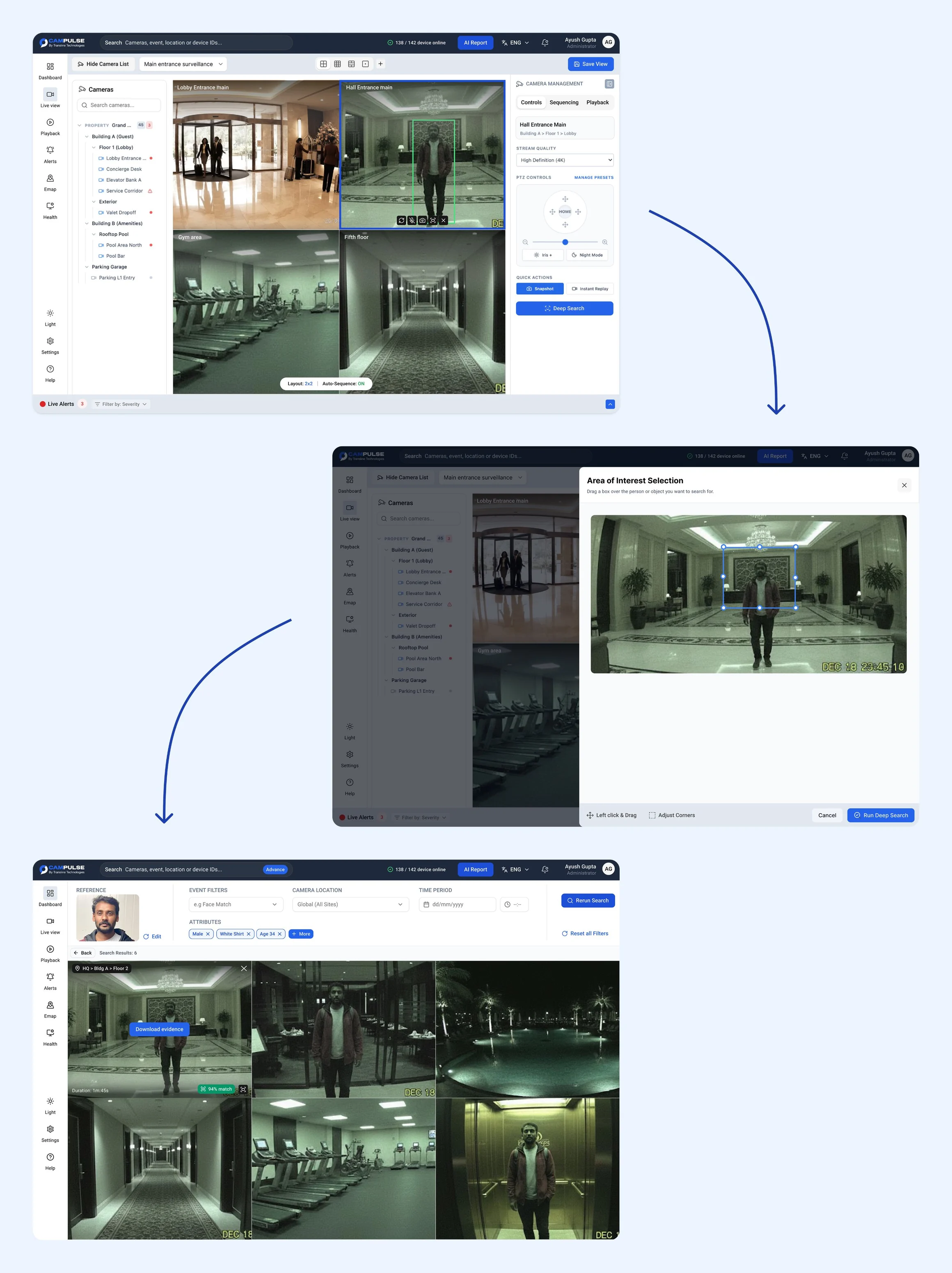
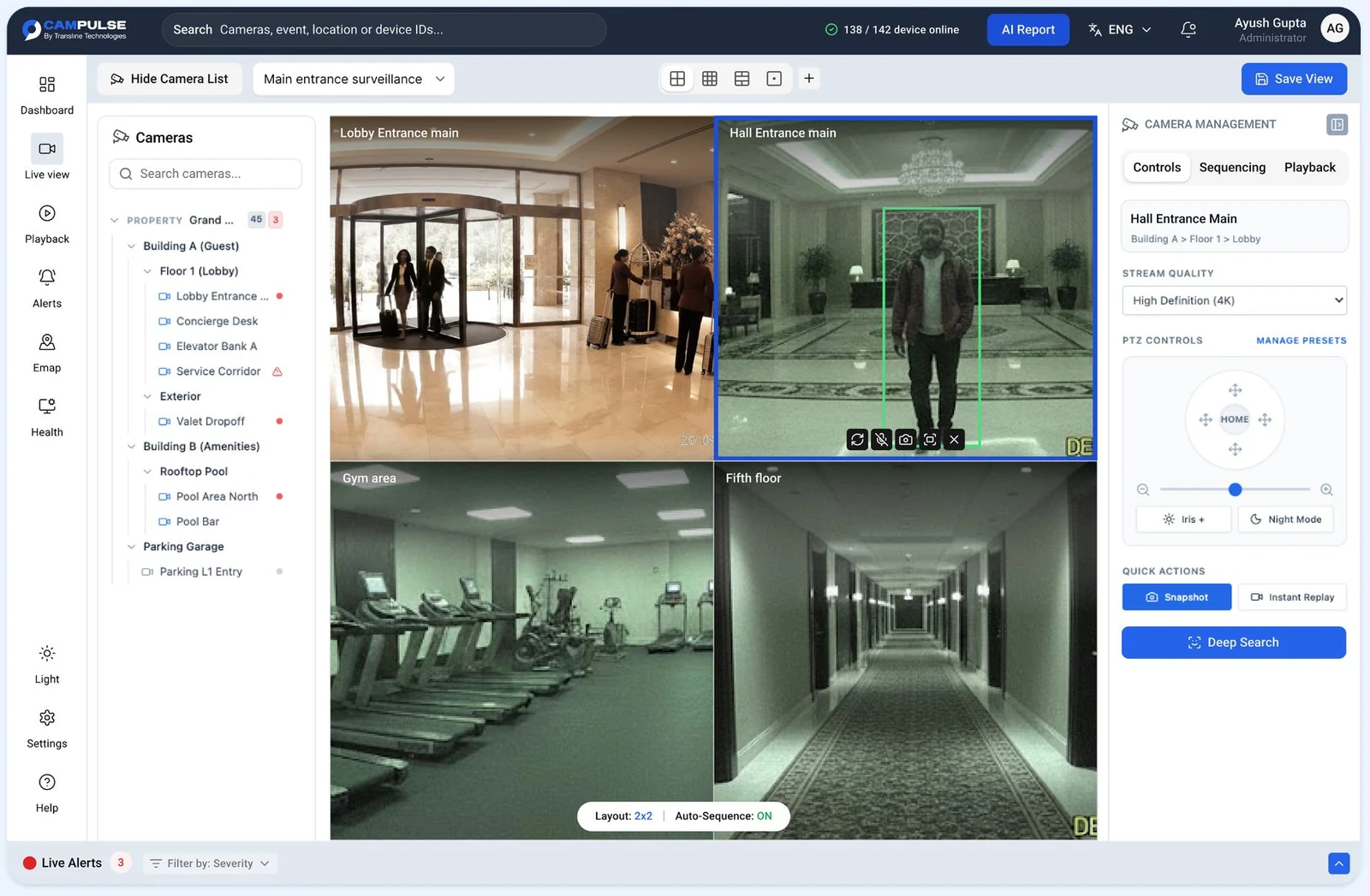
When a guard spots suspicious activity on a live video tile, selecting that tile brings up a contextual control panel on the right with a prominent, primary "Deep Search" CTA button.
Zero menu diving. The action lives directly next to camera controls.
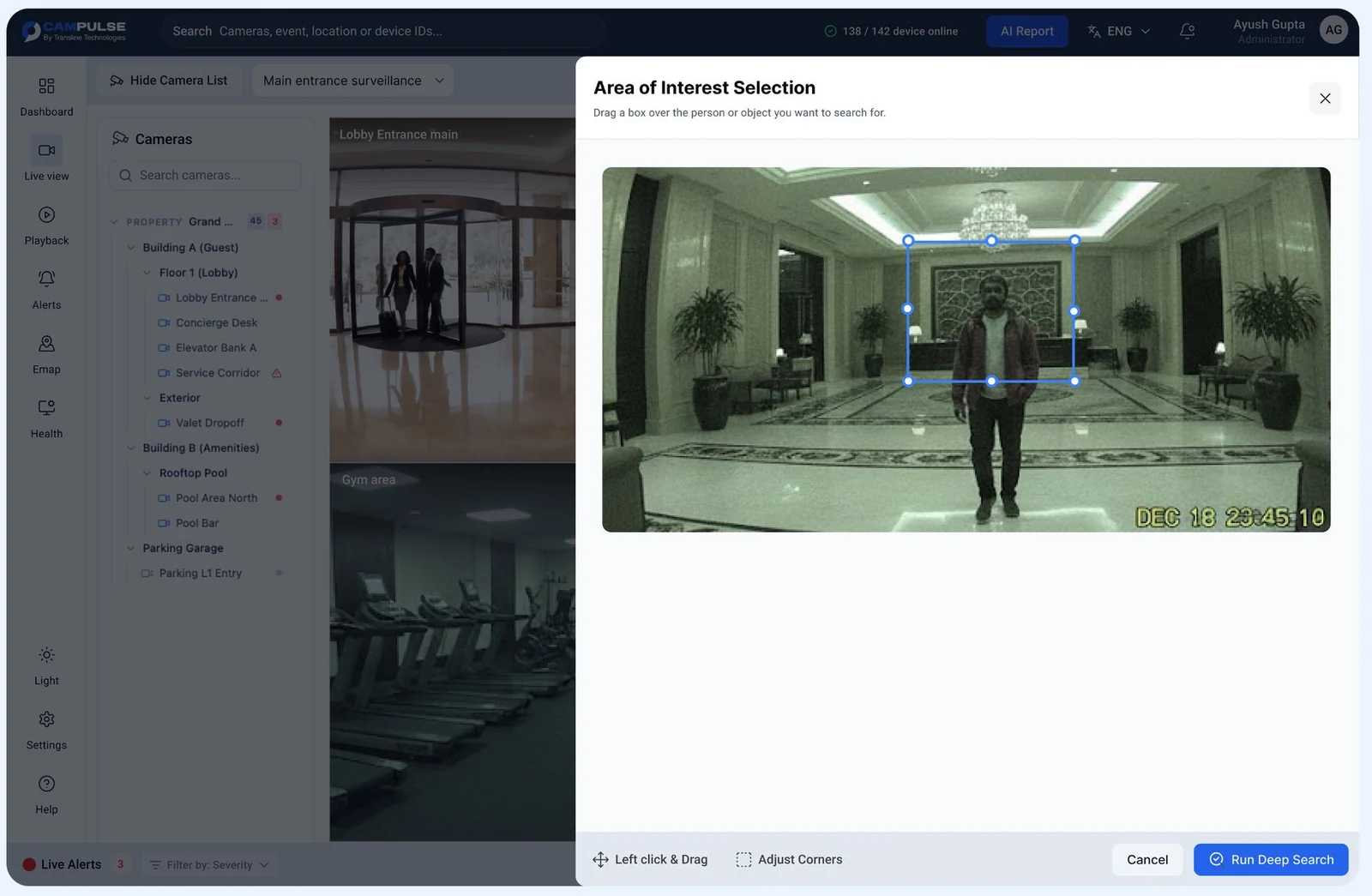
Clicking Deep Search opens a focused drawer with an adjustable, draggable bounding box around the suspect or object.
Instead of forcing guards to type text descriptions (e.g., "man in brown jacket"), guards can simply crop the person. The backend AI engine instantly extracts the visual features.
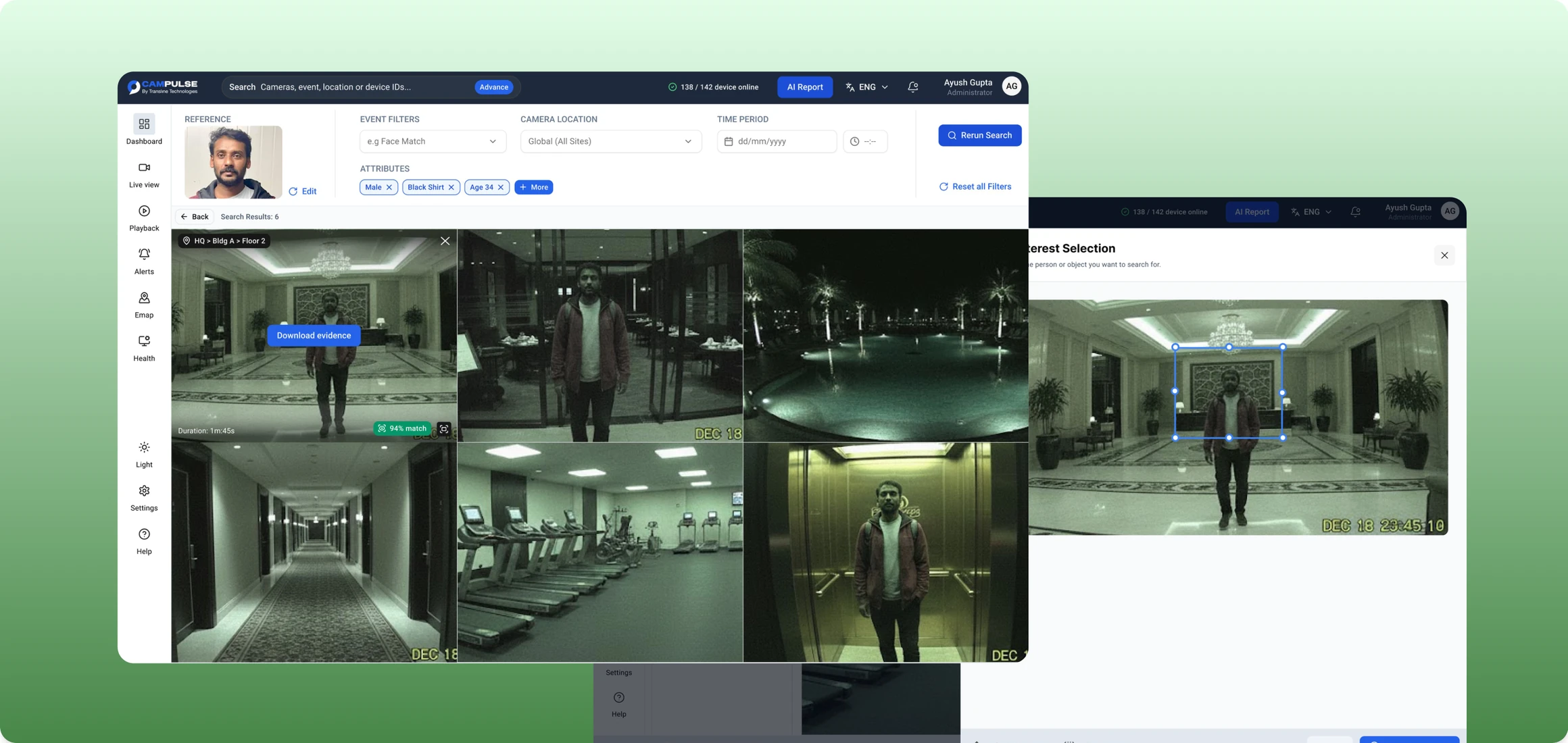
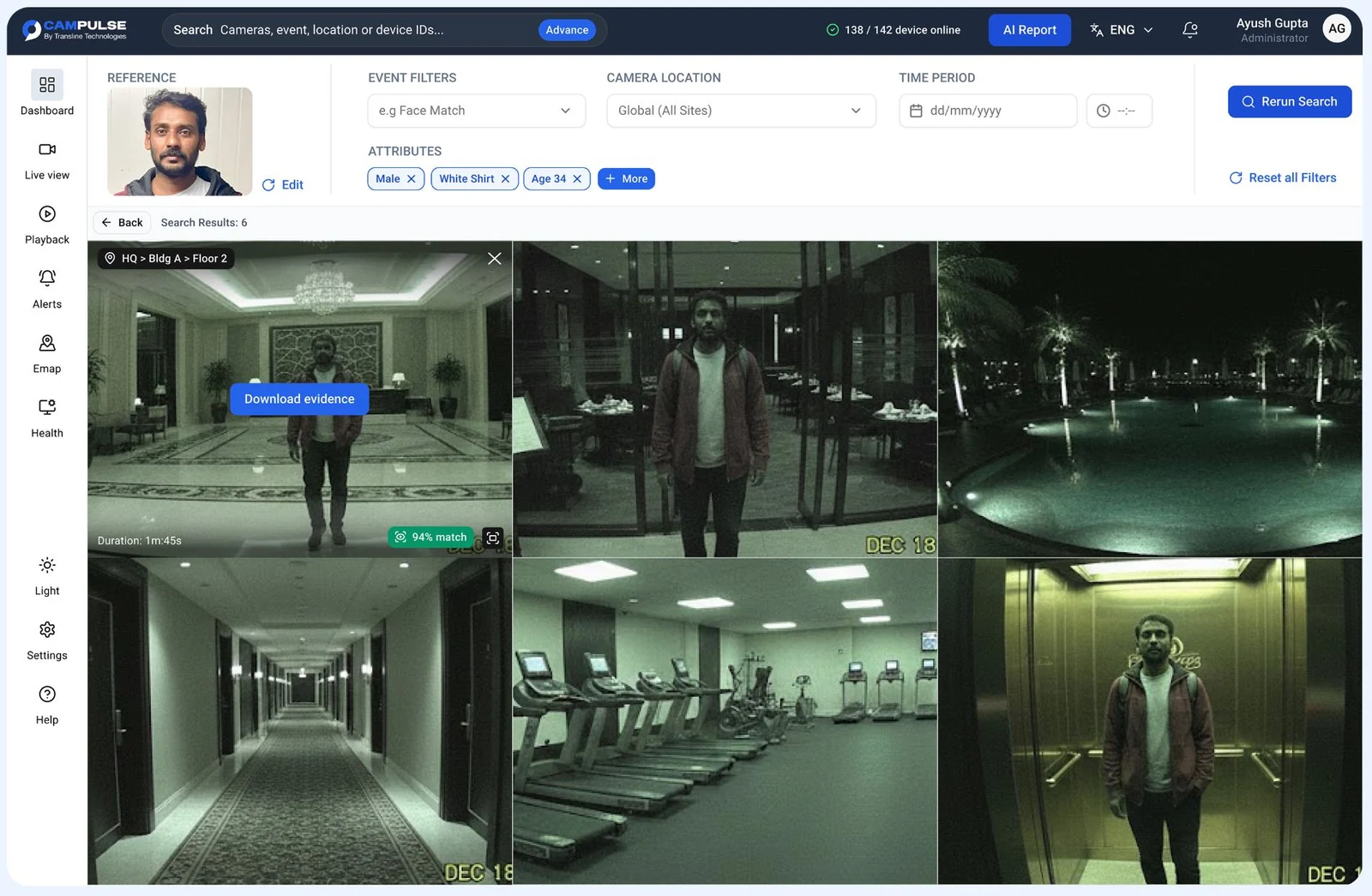
The guard is brought to the Deep Search results screen, pre-filled with extracted visual tags (Male, White Shirt, Age 34) and a synchronized grid showing all cameras where that suspect appeared.
Each video tile displays an explicit Match Confidence Score (e.g., 94% match) and a primary "Download Evidence" CTA, letting guards package video clips for police in seconds.
Clear improvements in investigation speed, system ease of use, and guard focus after launching the new flow.
Cut suspect tracking time across 100+ cameras from hours of manual video scrubbing to under 30 seconds.
Replaced complicated search filters with an intuitive "Crop & Search" visual interaction that any guard can use on day one.
Guards maintain spatial and visual context throughout the entire process without jumping through disjointed software tabs.
Key insights gained from rapid AI prototyping and real-world testing with control room operators.
Showing clear match percentages (like 94% match) gives operators immediate confidence to trust AI results without re-watching full clips.
Using AI Studio to prototype interactive concepts early saved massive design iteration time before finalizing Figma design system components.